
Payment Provider: TrustPay
The module provides integration with payment gateway https://www.trustpay.eu
Table of contents
- TrustPay configuration
- Odoo configuration
- Payment methods
- Preauthorization
- Refund
- Author
- Contact
TrustPay configuration
- Go to https://www.trustpay.eu
- Settings > Technical settings > Redirect URLs
- Set URL success, cancel, error returns:
- URL and email notifications
- Set notification type to Api version 2
- Set Url notifications to https://www.yourdomain.com/payment/trustpay/return
Odoo configuration
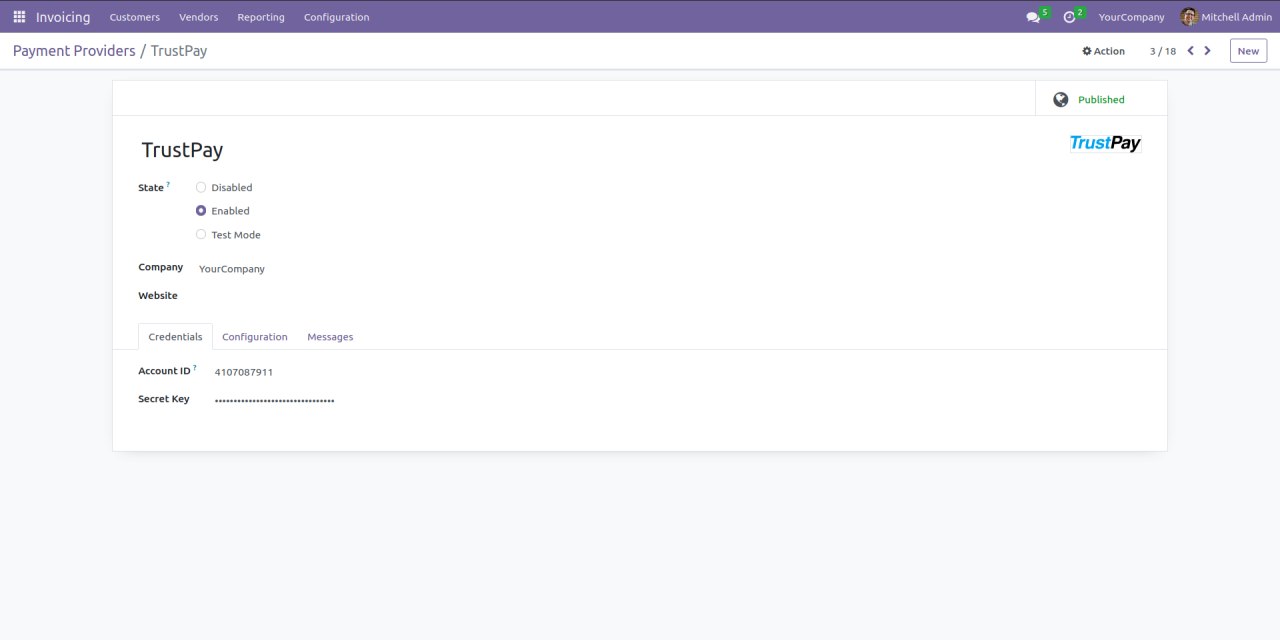
- Go to Invoicing > Configuration > Payment Providers > TrustPay (Enterprise edition: Accounting > Configuration > Payment Providers > TrustPay)
- Fill Account ID and Secret Key obtained from TrustPay (https://www.trustpay.eu/contact/)
Payment methods
Payment method selection (wire transfer or card payments) must be implemented on merchant's site.
Preauthorization
If you want to capture payments you need to:
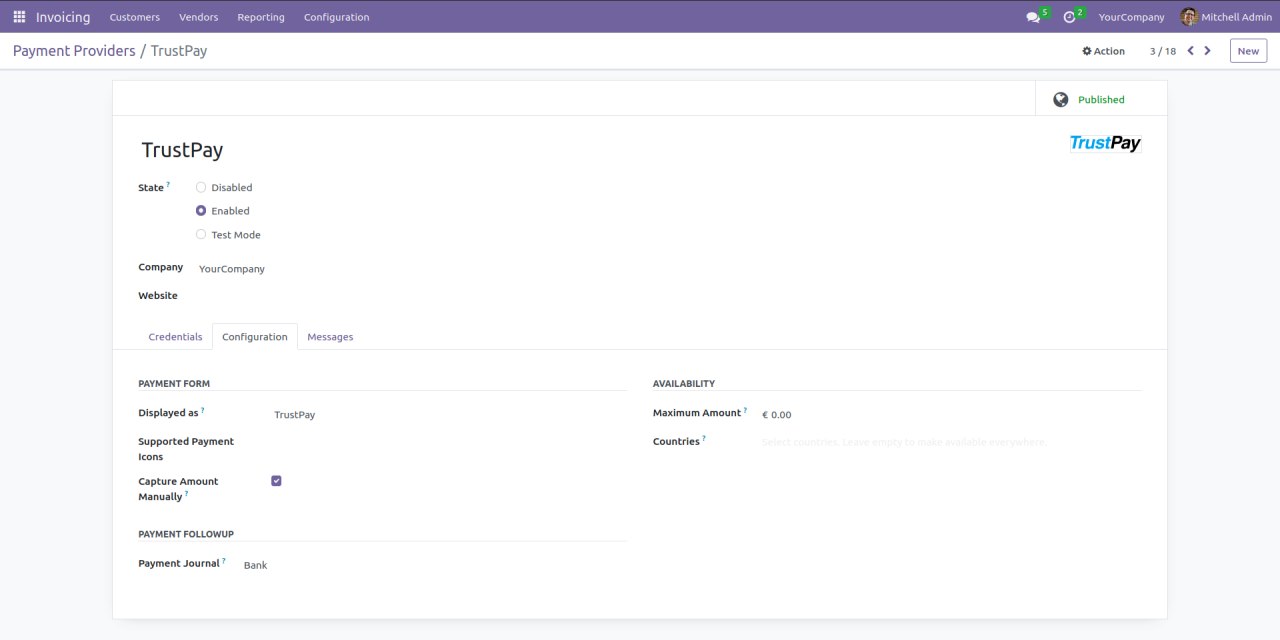
- Go to Invoicing > Configuration > Payment Providers > TrustPay > Configuration (Enterprise edition: Accounting > Configuration > Payment Providers > TrustPay > Configuration)
- Enable Capture Amount Manually
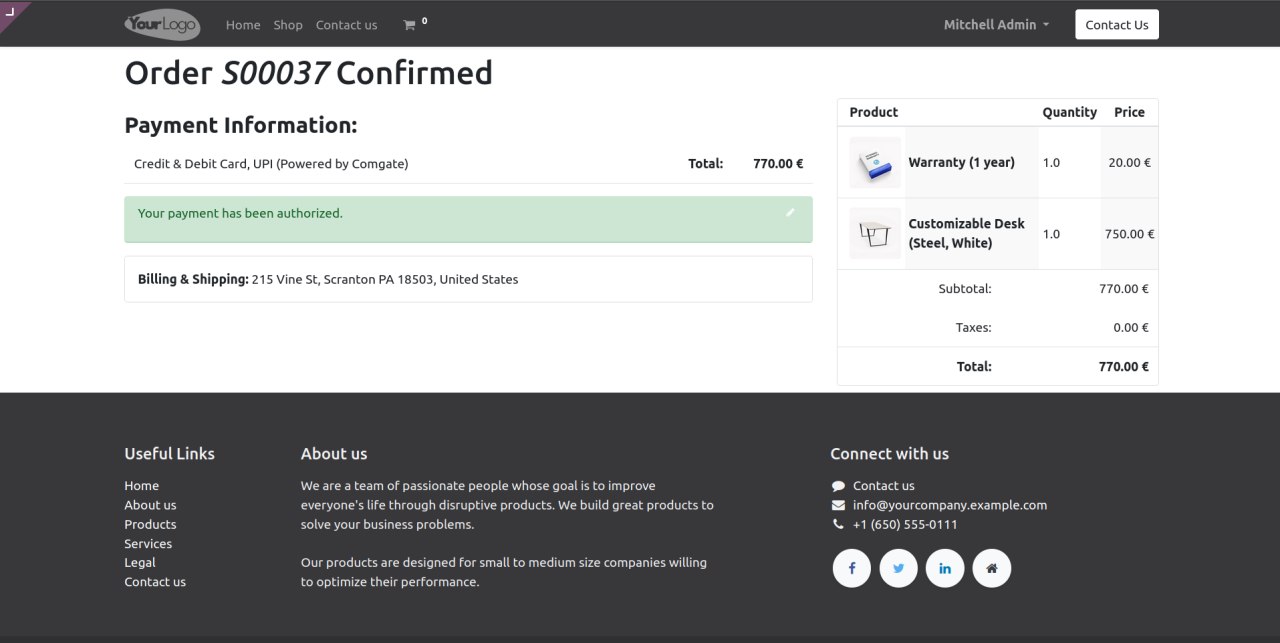
After payment user will see that payment was preauthorized
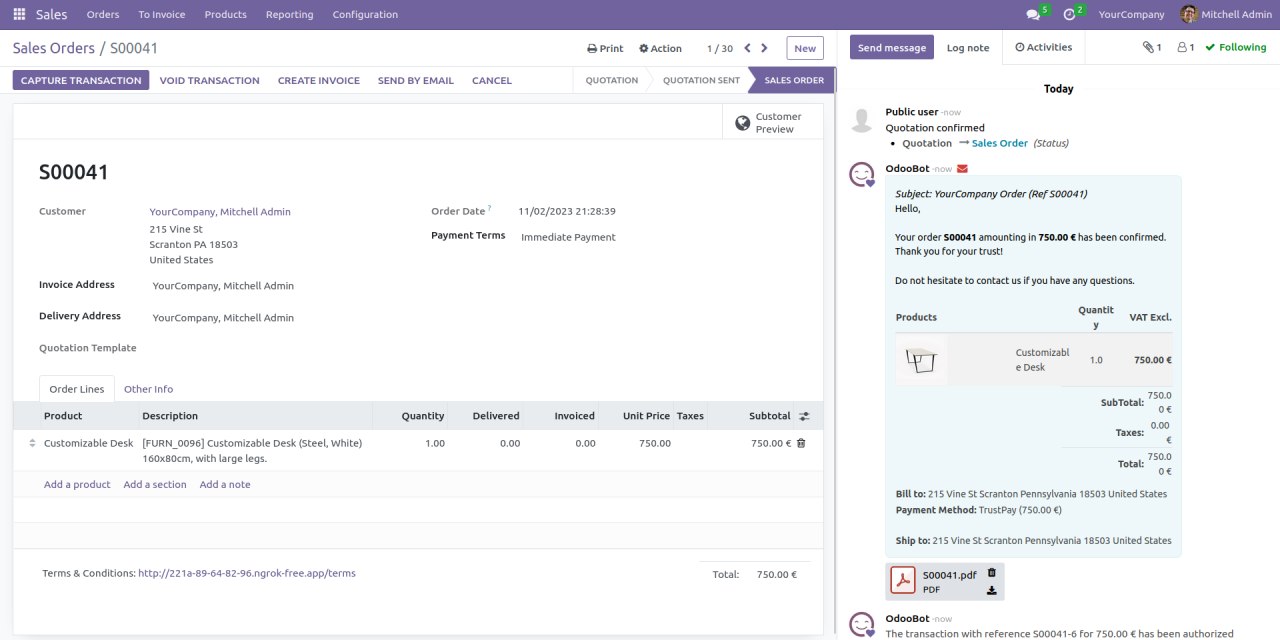
You will be able to Capture Transaction (Void Transaction unavailable, only via TrustPay Merchant Portal)
Refund
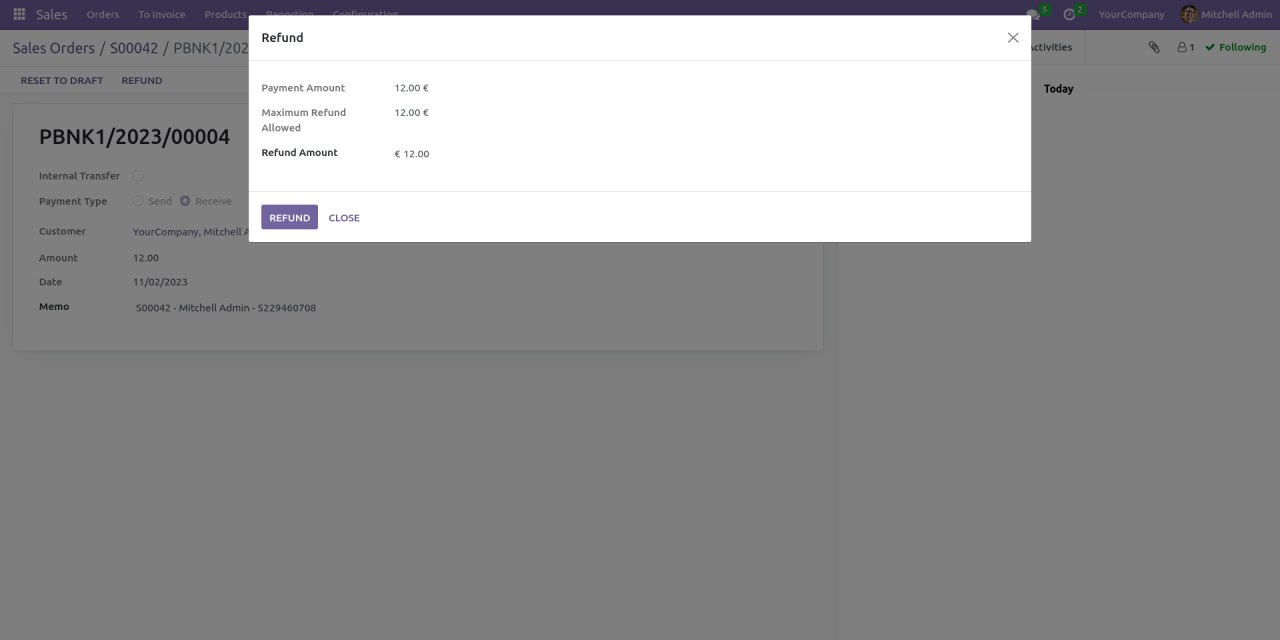
TrustPay supports partial and full refunds.
- Go to Sales > Orders
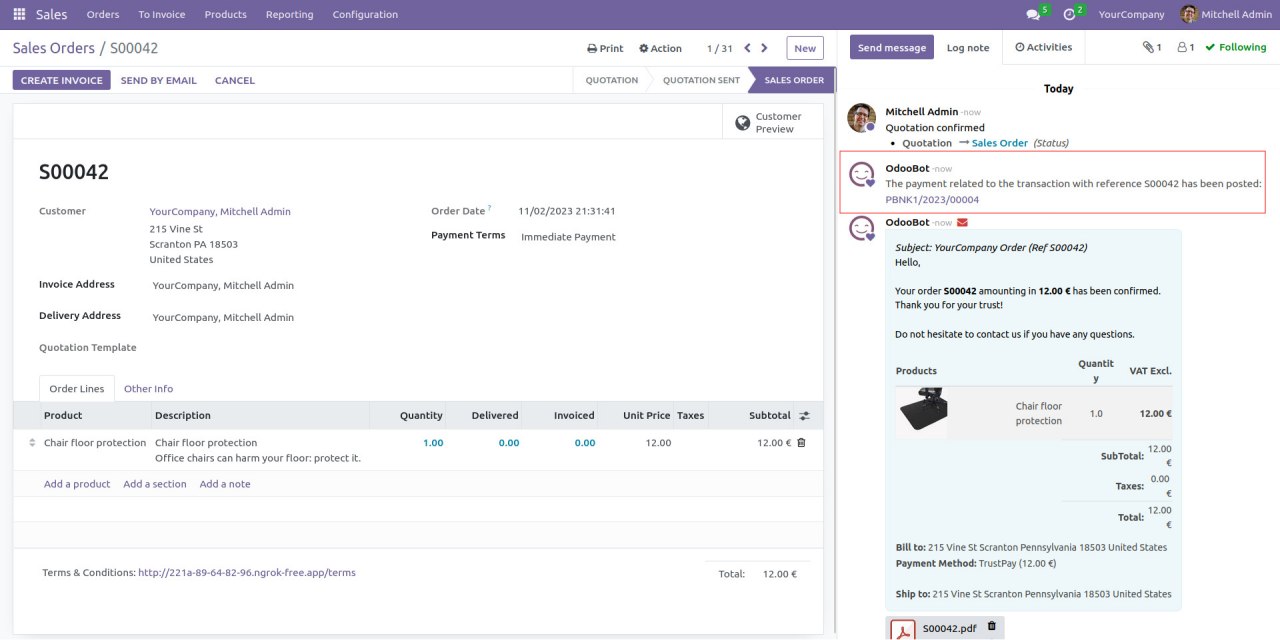
Click on payment related to the transaction and press Refund
Author
- Data Dance s.r.o.
Contact
Your Dynamic Snippet will be displayed here...
This message is displayed because youy did not provide both a filter and a template to use.