
The module provides integration with Comgate Payment Terminal https://www.comgate.cz
Table of contents
- Odoo configuration
- Terminal mode
- Browser security exception
- Using proxy as alternative
- Author
- Contact
Odoo configuration
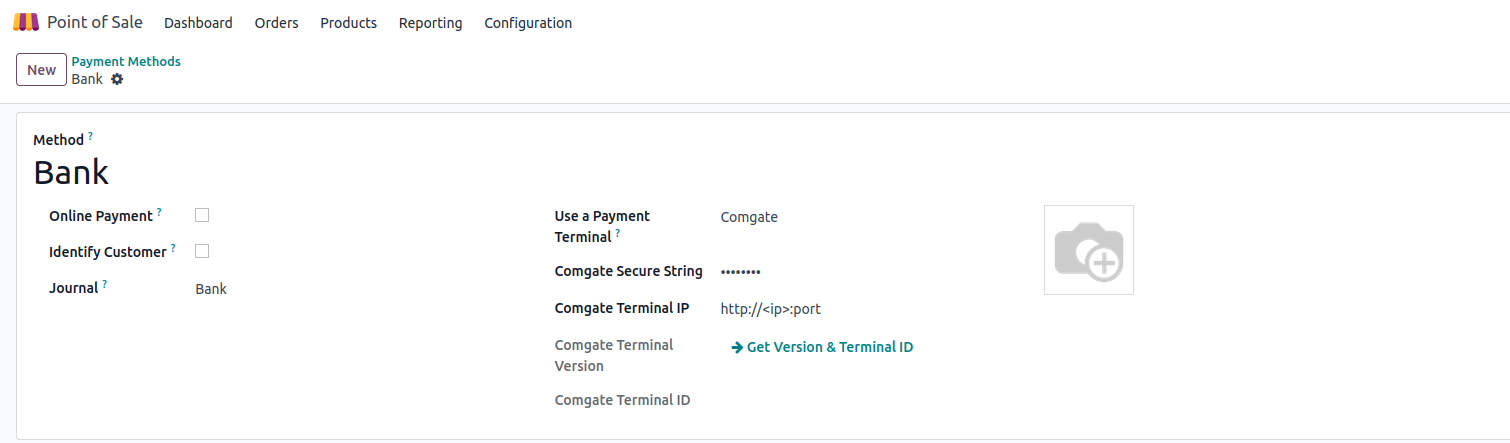
- Go to Point of Sale > Configuration > Payment Methods
- Create new Payment Method
- Go to Settings > Point of Sale and add created Payment Method to Payment Methods of POS.
- Choose Journal with type Bank
- Choose in field Use a payment terminal Comgate
-
Fill the fields:
- Comgate Secure String
- Comgate Terminal IP (http://<ip>:port)
- Press "Get Version & Terminal ID" button
Terminal mode
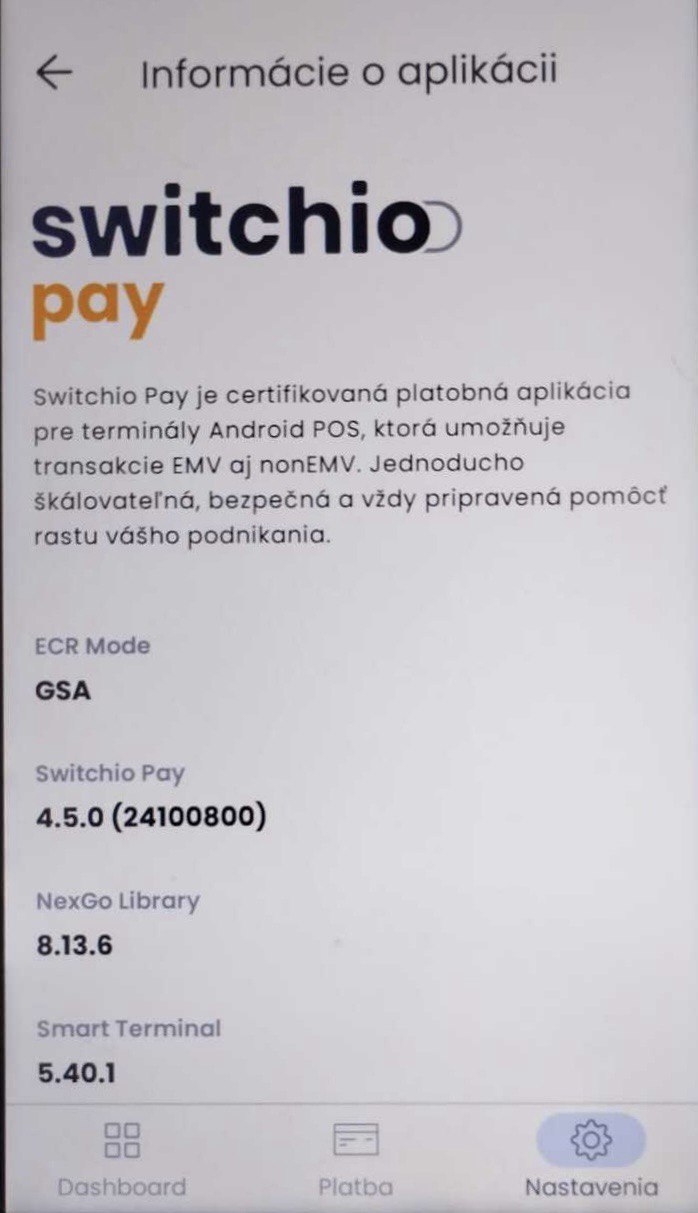
To use the module, the terminal must be in GSA ECR Mode.
Browser security exception
Due to browser security it is not possible for Odoo's PoS (which is HTML/JavaScript page) to directly communicate with Comgate terminal. Therefore a security exception in the browser needs to be configured.
For Chrome based browsers enter chrome://flags as URL, enable "Insecure origins treated as secure" and add url (inlcuding http scheme and port):
Using proxy as an alternative
The above options are being obsoleted in Chrome based browsers. Other options available would be using a port forwarding application running on the machine where Odoo PoS is used. The idea is PoS connects to localhost which is generally allowed where port forwarding application forwards the request to Comgate terminal and sends response back to PoS.
For example if we have local network of 192.168.0.0 with the following:
- Odoo PoS running in browser on device with IP address 192.168.1.20
- Comgate terminal with IP address 192.168.1.221 and port 33350
What would be required is following:
- run port forwarding application on Odoo PoS device listening on port 33350 and forwarding requests to 192.168.1.221 port 33350
- in Odoo configuration set Comgate terminal's address to http://localhost:33350 (address of the port forwarding application)
There are various options for port forwarding applications depending on device's operating system:
- Linux - socat. Example of usage: socat -v TCP-LISTEN:33350,reuseaddr,fork TCP:192.168.1.221:33350
- Android - Port Forwarder: https://play.google.com/store/apps/details?id=com.gorillasoftware.portforwarder&hl=en
- Windows - netsh. Example of usage: netsh interface portproxy add v4tov4 33350 192.168.221 33350 or alternatively netsh routing ip nat add portmapping "Comgate" tcp 0.0.0.0 33350 192.168.0.221 33350 or alternatively using GUI wrapper application https://github.com/OceanAirdrop/Windows-Port-Forwarder
- Apple iOS - not tested but https://apps.apple.com/us/app/network-toolbox-net-security/id651691453 has port forwarder. Alternatively iSH SHell available here https://apps.apple.com/us/app/ish-shell/id1436902243 has socat similarly to Linux
Author
- Data Dance s.r.o.